



Filing income tax returns can be stressful, and even a minor mistake while making a tax payment through a challan can cause problems later. Errors such as choosing the wrong assessment year, selecting an incorrect major head, or picking the wrong payment type can lead to tax credit mismatches and delays in ITR processing or refunds.
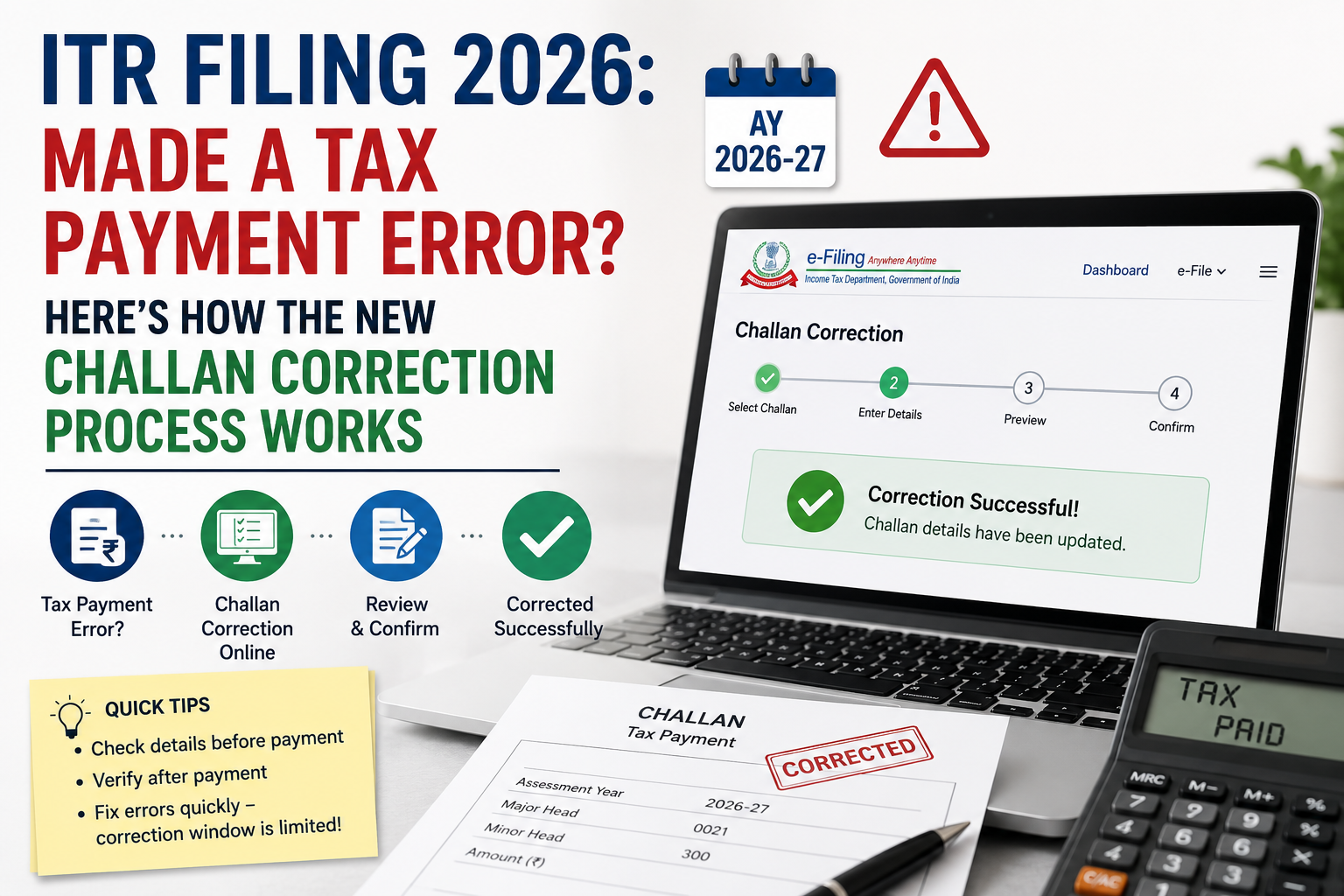
To make this easier, the Income Tax Department has launched an online Challan Correction Request facility on the e-filing portal. This feature allows taxpayers to correct certain challan-related mistakes online without having to visit the tax office, making the process quicker and more convenient. Here’s a detailed look at how the new challan correction system works in 2026.
What is challan correction in income tax?
When you pay income tax—whether it is advance tax, self-assessment tax, or tax demand—the payment is recorded through a challan. If you enter incorrect details while making the payment, the tax may not be properly matched with your income tax return.
The challan correction facility provided by the Income Tax Department allows taxpayers to request changes in certain challan details after the payment has been made. This helps ensure that the tax paid is correctly reflected in tax records and can be used while filing or revising the ITR.
Why Challan correction matters for ITR Filing 2026?
For ITR filing in 2026, many taxpayers may need to pay self-assessment tax, advance tax, or outstanding demand before submitting their returns. If the challan contains incorrect details, the return may still show tax as unpaid even though the payment has already been made.
Some common issues caused by challan errors are:
- Tax payment not reflecting correctly in the return
- Mismatch in challan details or tax credit
- Defective return or tax demand notice
- Delay in refund processing
- Need to revise the ITR later
This is why understanding the challan correction process becomes especially important during the ITR filing season.
What errors can be corrected under the new challan correction system?
As per the Income Tax Department’s user manual, taxpayers can request correction of certain challan details directly through the e-filing portal. The main fields that can be corrected include:
1) Assessment Year / Tax Year
If you entered the wrong assessment year while making the tax payment, you can request a correction within the permitted time limit. This is among the most common mistakes made during ITR filing.
2) Major Head (Tax Applicable)
This refers to the type of taxpayer or the tax category selected at the time of payment. If the wrong major head was chosen, it may be corrected through the challan correction facility.
3) Minor Head (Type of Payment)
This refers to the purpose of the tax payment, such as:
- 100 – Advance Tax
- 300 – Self-Assessment Tax
- 400 – Tax on regular assessment/demand payment
If the wrong payment type was selected, the online challan correction facility may allow you to update it.
Which challans are eligible for online correction?
The online challan correction facility is not available for all challans. According to the Income Tax Department, correction through the e-filing portal is currently allowed only for challans that meet these conditions:
- Challans related to AY 2020-21 onwards
- Challans with Minor Head 100, 300, or 400
- Challans that have not been consumed during processing
- Challans where no other correction request is already pending
- Challans for which the correction request is made within the prescribed time limit
What are the time limits for the Challan Correction?
One of the key things taxpayers need to understand about the new challan correction system is that the correction facility is available only for a limited period. In other words, challan details cannot be changed at any time after payment. The Income Tax Department has prescribed specific deadlines, and these are calculated from the date of challan deposit. Once this time limit expires, the option to submit an online correction request may no longer be available for that challan.
Correction window available on the e-filing portal
- Assessment Year correction – allowed within 7 days from the challan deposit date
- Major Head correction – allowed within 30 days from the challan deposit date
- Minor Head correction – allowed within 30 days from the challan deposit date
This makes it important for taxpayers to verify challan details soon after making the payment. Even a small delay can cause you to miss the correction window, especially for Assessment Year errors, where the time limit is only 7 days.
Therefore, instead of waiting until the ITR filing deadline, it is better to check your challan immediately after payment. If you find any mistake in the assessment year, major head, or minor head, you should submit a correction request at the earliest. Doing so will help ensure that the tax payment is correctly reflected in your records and that your ITR filing or refund process is not delayed.
How to correct a challan online on the Income Tax portal?
If your challan qualifies for correction, you can submit a correction request online through the Income Tax e-filing portal. Here is the step-by-step process:
Step 1: Firstly, log in to the e-filing portal
Visit the official Income Tax e-filing portal and sign in using your PAN and password credentials.
Step 2: Open the Challan Correction service
After logging in, go to:
Services → Challan Correction
This option is available only after you log in to your account.
Step 3: Select the challan to be corrected
The portal will display the challans that are eligible for correction. Choose the challan in which the error was made.
Step 4: Select the field you want to correct
You can choose the challan detail that needs to be changed, such as:
- Assessment Year
- Major Head
- Minor Head
Step 5: Enter the correct details
Fill in the updated information carefully. Before submitting the request, double-check the corrected details to avoid any further errors.
Step 6: Submit the correction request
Once all the details are entered, submit the challan correction request. The request will then be processed by the Income Tax Department according to the applicable system workflow.
Step 7: Track the request status
After submission, you can return to the Challan Correction section on the portal to monitor the status of your request.
Important conditions taxpayers should keep in mind
Before using the online challan correction facility, taxpayers should be aware of a few important conditions and limitations:
1) Usually, only one online correction is allowed for a challan
As per the portal guidance and user manual, the challan correction facility on the e-filing portal is generally available only once for a challan. If any further correction is required after that, the taxpayer may need to approach the tax department or the concerned assessing officer.
2) Older challans may not be covered under the online facility
If the challan relates to an earlier assessment year that is not covered under the portal’s correction system, the correction may not be possible online. In such cases, the taxpayer may have to contact the Jurisdictional Assessing Officer (JAO) for assistance.
3) Not all challan-related mistakes can be corrected online
The online challan correction service is primarily intended to correct specific details, such as the Assessment Year, Major Head, and Minor Head, for eligible challans. If the error relates to any other challan detail, manual intervention or departmental approval may be required.
When should you approach the Jurisdictional Assessing Officer (JAO)?
The Income Tax portal clearly mentions that if the challan does not fall under Minor Head 100, 300, or 400, the taxpayer will have to approach the Jurisdictional Assessing Officer (JAO) for correction. Apart from this, there can be other situations where the issue cannot be resolved through the online challan correction facility and may have to be handled offline.
You may need to contact the JAO in cases such as:
- The challan is not appearing as eligible for correction on the portal.
- The online correction time limit has expired.
- The challan relates to an older assessment year not covered under the portal facility.
- The field you want to correct is not available in the online correction options.
- An online correction request has already been used once for that challan.
- The tax payment was credited to the wrong PAN or wrong taxpayer, and the portal does not allow that correction directly.
In short, if the challan issue cannot be fixed through the e-filing portal, the taxpayer may have to approach the Jurisdictional Assessing Officer for further resolution.
Tips to avoid challan mistakes while filing ITR in 2026
To minimise the chances of errors while making tax payments, taxpayers should follow a few basic precautions:
- Check the assessment year carefully before making the payment
- Confirm the type of payment—whether it is advance tax, self-assessment tax, or tax demand payment
- Review the challan details immediately after payment to ensure all information is correct
- Download and save the challan receipt as soon as the payment is completed
- Verify on the tax portal that the payment is properly reflected before filing the ITR
- Take prompt action if there is any mismatch, as the correction window for challan errors may be limited
FAQs
Q1. What happens if tax is paid under the wrong PAN?
Ans. If tax is deposited under the wrong PAN, the correct taxpayer may not get credit for that payment in the ITR, which can lead to a tax demand notice. In such cases, it is important to act quickly, keep the challan and payment proof ready, and approach the Income Tax Department if the issue cannot be fixed online.
Q2. Can TDS challan corrections in 2026 be made through the new portal?
Ans. Not in every case. If a TDS challan for FY 2025-26 was deposited under the wrong Act or incorrect year mapping, the correction may still have to be done through the older TRACES portal. This issue is more relevant for deductors and businesses managing TDS compliance than for regular salaried taxpayers filing standard ITR forms.
Q3. How can you fix an error while filing your ITR?
Ans. To resolve an error in ITR filing, first identify the issue by matching the details in your return with your AIS and Form 26AS. If the problem is technical, try clearing your browser cache and cookies, avoid using special characters, and restart the filing process if needed by beginning a fresh return.
Q4. Can challan amount or challan details be corrected online?
Ans. The challan correction feature on the Income Tax e-filing portal is currently available only for tax payments made under Minor Heads 100, 300, and 400. For TDS/TCS challans, taxpayers need to use the TRACES portal or approach the Assessing Officer for correction.
Q5.How many times can you revise your income tax return?
Ans. You can file a revised return more than once within the allowed time limit, as long as the revision window remains open. This gives taxpayers a chance to correct mistakes or update details if needed.