



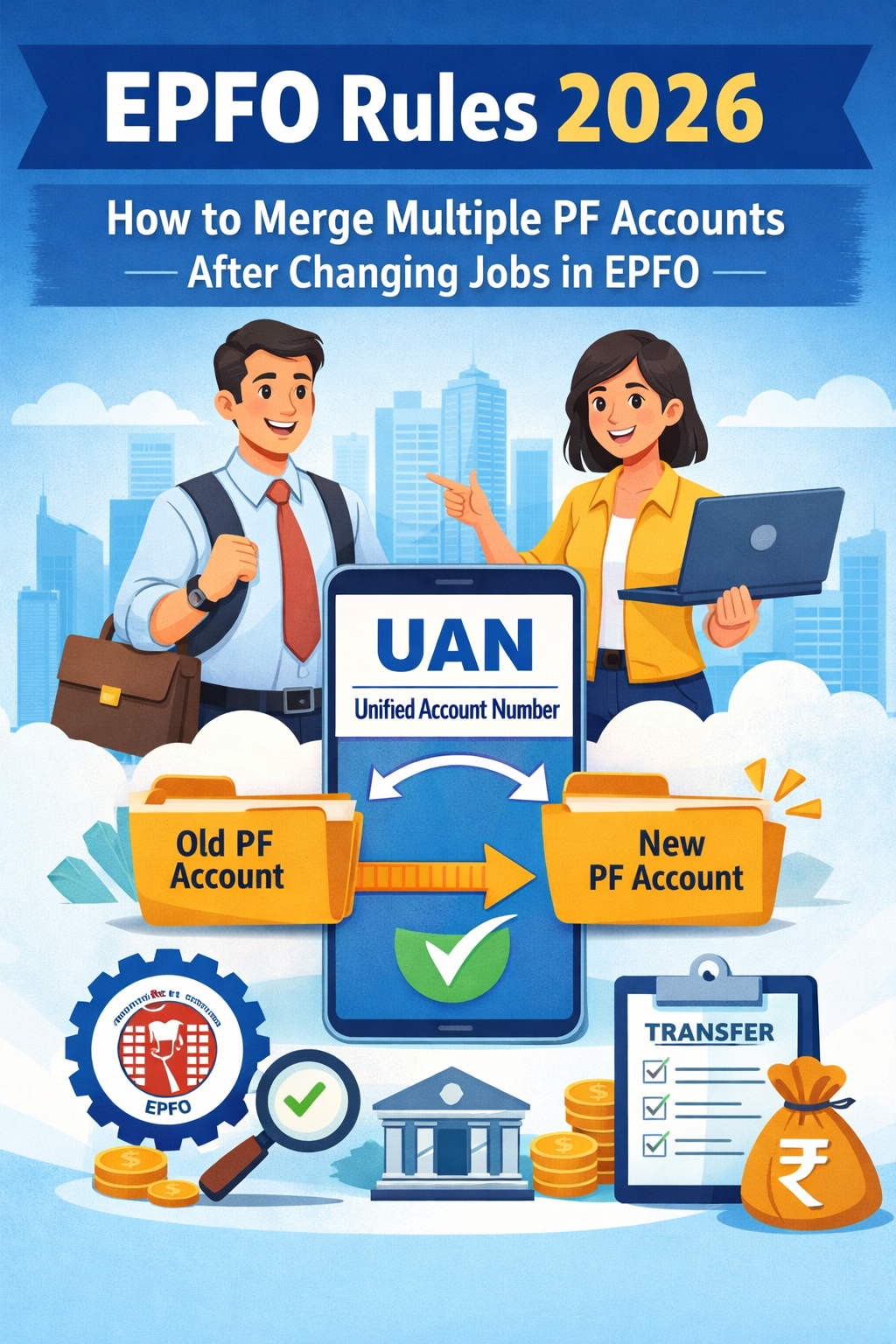
Changing jobs has become quite common today, but many employees unknowingly accumulate multiple Provident Fund (PF) accounts. This happens because every new employer opens a fresh PF account. However, all of them are connected to your UAN.
To address this, the Employees’ Provident Fund Organisation (EPFO) has simplified its rules in recent years. This makes it easier for users to merge and manage their PF accounts online using the EPFO portal in just a few simple steps. Additionally, with digital advancements such as EPFO 3.0 and automated transfer systems, consolidating PF accounts in 2026 has become quicker and more transparent. Now, it is largely an online process. Merging your PF accounts helps keep all your savings in one place and makes future withdrawals much easier.
In this Blog, here’s a simple and hassle-free guide for EPFO Rules 2026 to help you combine your PF accounts smoothly.
Reasons for Having Multiple PF Accounts
Every time you change jobs, a new PF member ID is created under your existing Universal Account Number (UAN).
- Although the UAN is designed to link all your PF accounts, certain issues can still arise:
- Not sharing your previous UAN with your new employer. Generation of duplicate UANs due to mismatched or incomplete records
- Old PF accounts remaining inactive without proper transfer
- Having multiple PF accounts can lead to several problems over time:
- Loss or reduced accumulation of interest on your savings
- Difficulty and delays during PF withdrawals
- Challenges in tracking your total PF balance across accounts
- To avoid these issues, it is important to consolidate your accounts through the Employees’ Provident Fund Organisation for better management and ease of access.
What has changed under EPFO Rules 2026?
- Single UAN for lifetime: Employees are now expected to use one Universal Account Number (UAN) throughout their careers
- Auto-transfer of PF: In many cases, PF balances are automatically transferred when you switch jobs.
- Digital-first approach (EPFO 3.0): Faster processing, minimal paperwork, and largely online services.
- Easier claim process: Fewer rejections and quicker approvals for transfer requests.
These improvements are designed to provide a smooth and uninterrupted experience in managing your retirement savings with the Employees’ Provident Fund Organisation.
Why You Should Merge PF Accounts?
Managing multiple PF accounts can become confusing and inconvenient over time. Consolidating them into a single account offers several important advantages:
- All your savings in one place:
Merging PF accounts helps you bring together your accumulated funds from different jobs into a single account. This makes it easier to manage your retirement corpus. - Better tracking of your balance:
With just one account, you can easily monitor your total PF balance, interest earned, and contributions. Therefore, you don’t have to check multiple records. - Simplified withdrawals and tax filing:
A single PF account makes the withdrawal process smoother and reduces complications during tax filing. This is especially helpful when calculating total PF contributions and interest. - Maintains continuous service history:
Merging accounts ensures that your employment history remains uninterrupted. This is important for calculating eligibility for pension and other benefits. - Avoids confusion and inactive accounts:
It eliminates the risk of old accounts being forgotten or left inactive. Otherwise, these can create issues later.
What do you need before starting the PF Account Merger?
Before starting the PF merging process, ensure the following requirements are in place:
1. Your UAN is active:
Make sure your Universal Account Number is activated and ready for use
2. KYC details are updated:
Complete your KYC by linking Aadhaar, PAN, and your bank account details
3. Mobile number is linked to UAN:
Your active mobile number should be registered with your UAN for OTP verification
These basic steps are essential to ensure a smooth and hassle-free online transfer process through the Employees’ Provident Fund Organisation.
Step-by-Step Guide: How to Merge PF Accounts
- Step 1: Log in to the EPFO portal
Visit the Employees’ Provident Fund Organisation member portal and sign in using your UAN and password. - Step 2: Navigate to ‘Online Services
After logging in, click on the ‘Online Services’ tab available on the dashboard. - Step 3: Select ‘One Member – One EPF Account
Choose this option to begin the process of transferring and merging your PF accounts. - Step 4: Enter the required details
Fill in your personal information along with details of your current PF account. - Step 5: Generate and verify OTP
An OTP will be sent to your registered mobile number. Enter it to authenticate and proceed further. - Step 6: Add previous PF account details
Provide the details of your old or inactive PF accounts that you want to merge. - Step 7: Submit the request
Accept the declaration, review the information, and submit your request.
Once submitted, the EPFO will process your request and transfer the balance from your old PF accounts to your current account. Thus, the consolidation process will be completed.
What happens after the PF Account Merger?
1. Old PF accounts become inactive:
The Employees’ Provident Fund Organisation automatically marks your previous or unused PF accounts as inactive, leaving only your current account operational.
2. Balance gets consolidated:
The Employees’ Provident Fund Organisation transfers the entire balance from your old PF accounts to your active PF account. This helps you maintain all your savings in one place.
3. Updated balance reflects in the passbook:
You can easily track the transferred amount by checking your EPF passbook online, where you can view the updated balance.
4. Deactivation of duplicate UANs (if any):
In cases where multiple UANs exist, the Employees’ Provident Fund Organisation may deactivate the older or duplicate UANs after completing the transfer.
How Much Time Does the PF Transfer Process Take?
The PF transfer process generally takes about 15–20 days after you submit the request. However, the exact timeline may vary depending on factors such as verification, employer approval, and the accuracy of the details provided to the Employees’ Provident Fund Organisation.
What is the Alternative if you have 2 UANS?
If you have been assigned multiple UANs, you can take the following steps to resolve the issue:
- Share details of both UANs with the Employees’ Provident Fund Organisation via email.
- Request the deactivation of your older or duplicate UAN.
- After that, submit a PF transfer request to consolidate your accounts.
This process ensures that you correctly link all your PF accounts under a single UAN.
Bringing your PF accounts together not only keeps your retirement savings well-organised but also helps prevent delays during withdrawals in the future. Thanks to the EPFO’s online portal, the entire process has become much more convenient. Now, you can complete it digitally with ease.
Final Thoughts
With the updated EPFO rules in 2026, merging multiple PF accounts has become easier and more convenient than before. The move towards automation, digital platforms, and the one-UAN system allows employees to manage their retirement savings more efficiently. If you’ve recently switched jobs and still hold multiple PF accounts, it’s wise to consolidate them at the earliest. Doing so will help you avoid potential complications. Also, it will ensure smoother access to your funds in the future through the Employees’ Provident Fund Organisation.